


.svg)
Stop losing candidates to campaign errors you couldn't see

August 18, 2026
You know the drill: a campaign's been running for a few days, something feels off, and now you're three clicks deep in a dashboard trying to figure out if it's actually a problem or just Tuesday. Or worse — a candidate never got your message, and you only find out because they mention it in an interview you almost didn't get.
The Outreach tab wasn't built to catch any of that. Now it is.
Know what's working before you dig in
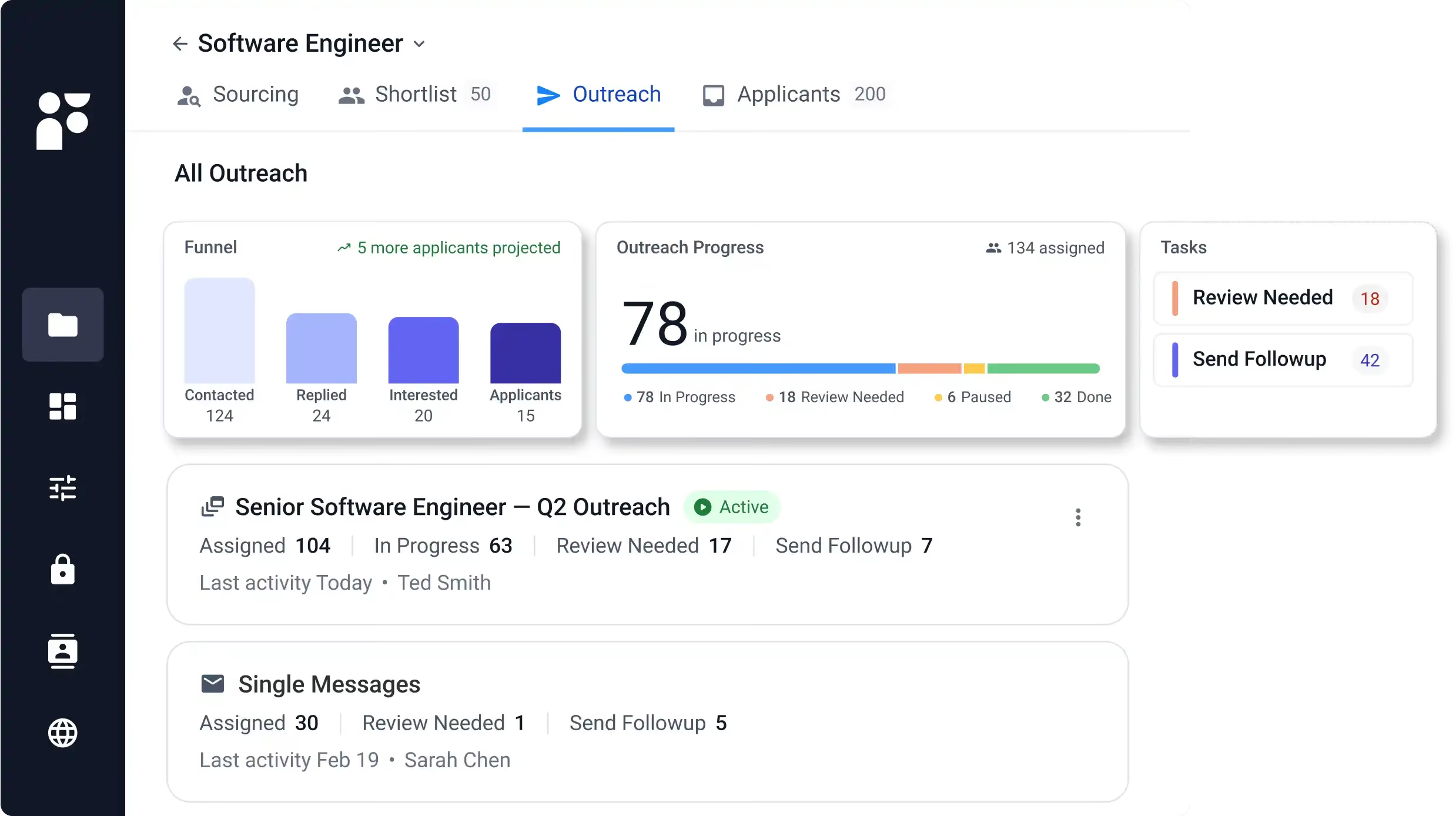
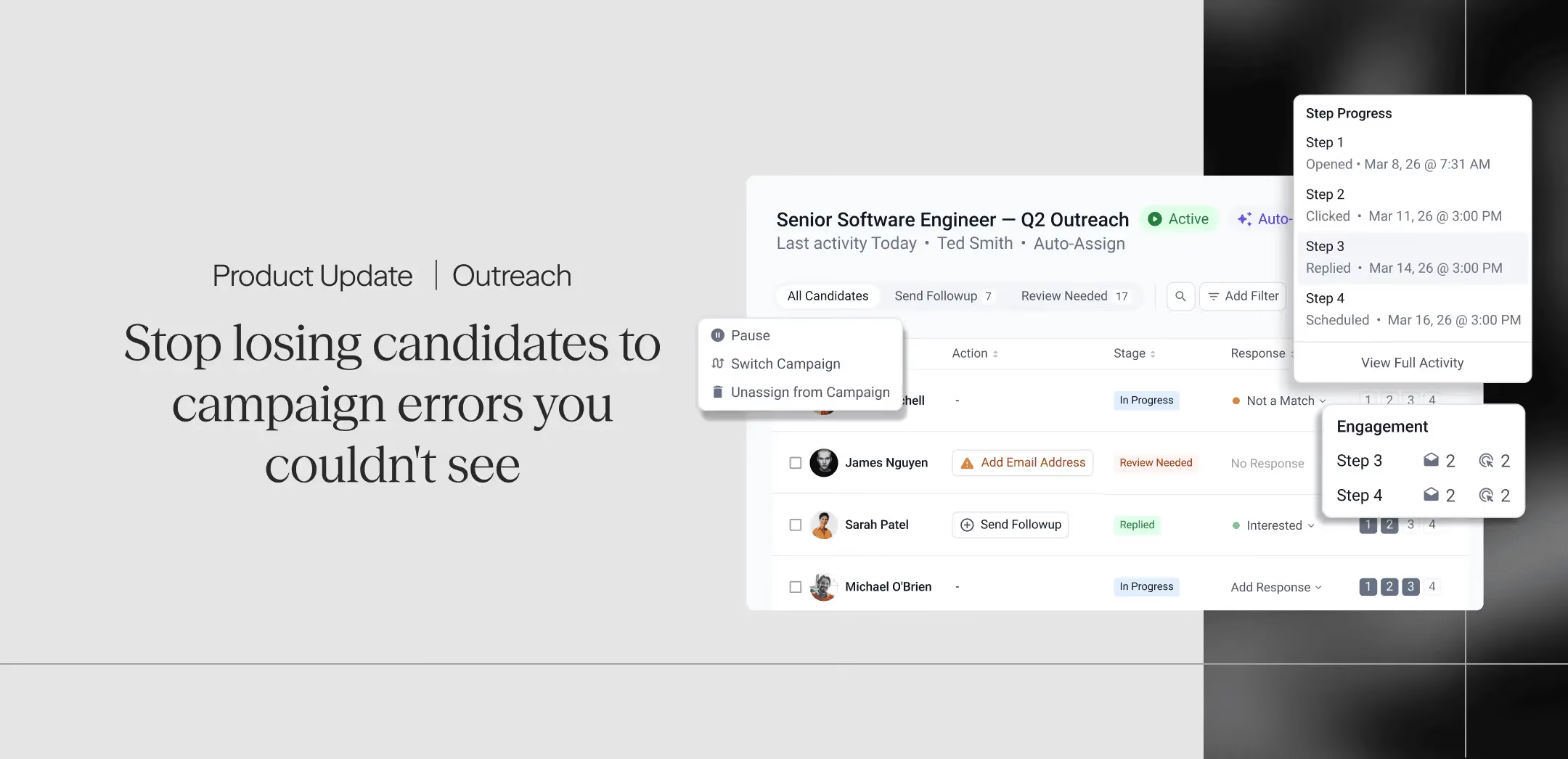
Open the Outreach tab and you'll see performance numbers for every campaign in your list: sent, opened, replied, bounced, and pending. Paused campaigns show their numbers too, with a badge so you know the pause is intentional and nothing is broken.
Scan your list in a few seconds and know where to spend your attention.
Fix errors where you find them
Missing emails, bounced addresses, failed sends — these used to live on the Shortlist page, disconnected from the campaign that caused them.
They're on the Outreach tab now. Each blocked candidate shows the specific reason they're stuck and a one-click action to resolve it: add an email, try another address, retry the send. Fix it, and they clear off the list.
Ask Findem Intelligent Assistant (Fia) instead of digging through a dashboard
Pull up any campaign and ask Fia how it's doing. You'll get response rates by phase, deliverability, who's interested versus who isn't, and a direct call-out of what needs your attention — in a few sentences, on the page.
Full delivery visibility without leaving the campaign
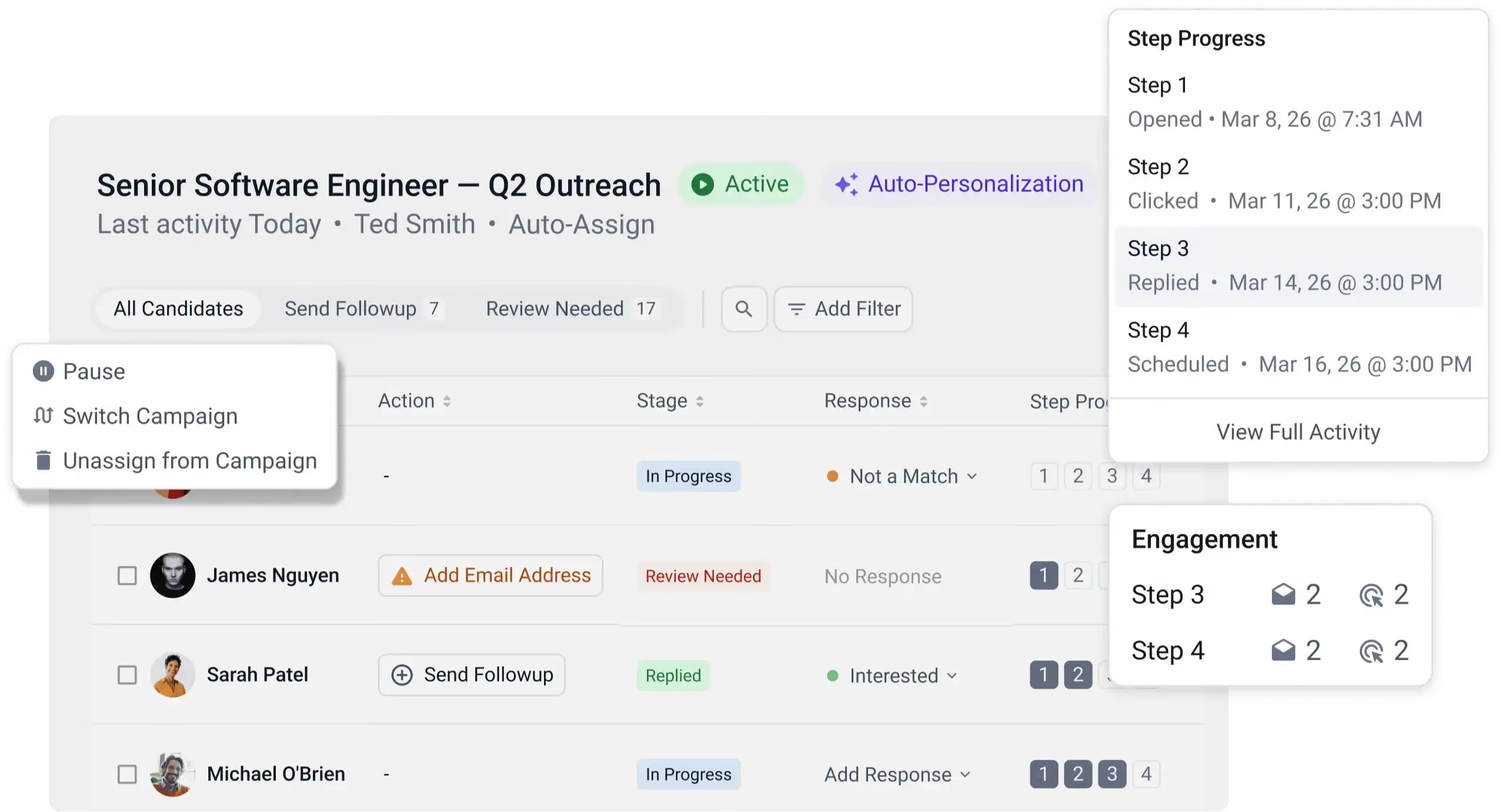
Need to verify what actually went out? From inside any campaign, the email audit shows every message sent, its delivery status, and anything that failed or never sent. It's there when you need it and doesn't require switching to another view.
What the Outreach tab saves you
The bounce you'd have missed for two weeks now shows up the day it happens, with the fix sitting right next to it. The candidate stuck mid-sequence because their first email failed doesn't sit invisible anymore — you'll see it, know why, and clear it in one click.
Nothing about how you build or edit campaigns changed. This is about not losing candidates to a broken email address you never knew about.
Open the Outreach tab. If something needs fixing, it'll tell you.